
Navigation
Install the app
How to install the app on iOS
Follow along with the video below to see how to install our site as a web app on your home screen.
Note: This feature may not be available in some browsers.
More options
Style variation
You are using an out of date browser. It may not display this or other websites correctly.
You should upgrade or use an alternative browser.
You should upgrade or use an alternative browser.
[MandoLogica] Breaking Boundaries
- Thread starter MandoLogica
- Start date
- Technical Tags 3dcg
- Sexual/Kinks Tags anal-sex incest masturbation titjob vaginal-sex
- Character Tags milf mother

justanothernoob
Well-known member
Chapter 10 - Images 11 - 42 converted to jpg format and upscaled to 3840 x 2160, for those that want them, 48.2mb total........Chapitre 10 (Pages 011-042)





















bab1350
Active member
many thanks but can i ask you which program are you use ?Chapter 10 - Images 11 - 42 converted to jpg format and upscaled to 3840 x 2160, for those that want them, 48.2mb total........
View attachment 1441261 View attachment 1441262 View attachment 1441264 View attachment 1441265 View attachment 1441266 View attachment 1441268 View attachment 1441269 View attachment 1441270 View attachment 1441271 View attachment 1441272 View attachment 1441273 View attachment 1441274 View attachment 1441275 View attachment 1441276 View attachment 1441277 View attachment 1441278 View attachment 1441279 View attachment 1441280 View attachment 1441281 View attachment 1441282 View attachment 1441283 View attachment 1441284 View attachment 1441285 View attachment 1441286 View attachment 1441287 View attachment 1441288 View attachment 1441289 View attachment 1441290 View attachment 1441291 View attachment 1441292 View attachment 1441293 View attachment 1441294
justanothernoob
Well-known member
I'm using the Freeware software Upscayl currently at 2.15.0. It does slow down my machine quite a bit, so for batch jobs I just "set it and forget it" and come back a couple hours later. That batch above took 1 hour 32 minutes, individual files seem to run around 2 minutes.many thanks but can i ask you which program are you use ?
justanothernoob
Well-known member
Hey @trekcho, quick question for you. Why did you downvote/dislike this post? You've only made 3 posts since joining and every one of them are you complaining that no one is sharing this story. I share and you dislike?Chapter 9 (Page 143-152)
If they haven't been shared elsewhere on the board. 3840x2160, total of 11.5mb


TheDirtyBurger
Member
This is a fantastically written series , i look forward to more , and the models are well done 

yano2mch
Professional Geeky Perv
For those wanting them, here they are in jpg format and resized to 3840 x 2160 to match what has been previously shared.
Was this done with Waifu2x? (as mentioned in another thread) I just notice the wood boards on the ground and things look a little... off... I mean from a distance you probably might not notice. If need be i can try a pass on it with upscayl instead.
justanothernoob
Well-known member
No, I used Upscayl.Was this done with Waifu2x? (as mentioned in another thread) I just notice the wood boards on the ground and things look a little... off... I mean from a distance you probably might not notice. If need be i can try a pass on it with upscayl instead.
yano2mch
Professional Geeky Perv
No, I used Upscayl.
Upscayl has several options, including anime, was just noticing the wood on the ground and behind the lamp lost a lot of texture detail.
Oh well, don't mind me. It's not important.
justanothernoob
Well-known member
I have to use the Digital Art option. When attempted using the others, I get the same error that @Mr Spock was getting. Oh and no worried, tips for improvement are always important.......Upscayl has several options, including anime, was just noticing the wood on the ground and behind the lamp lost a lot of texture detail.
Oh well, don't mind me. It's not important.
yano2mch
Professional Geeky Perv
I have to use the Digital Art option. When attempted using the others, I get the same error that @Mr Spock was getting. Oh and no worried, tips for improvement are always important.......
Mhmm. I just found for me the tile size had to be very small for it to work for me. 96x96 tile blocks vs the usual 300-400.
Here's the upscayl presets and CLI i use. See if it works for you. If not... *shrugs* then stick with what works.
























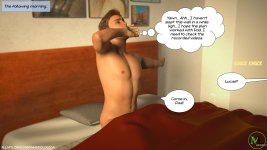

ilove3dmoms
Member
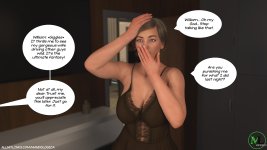
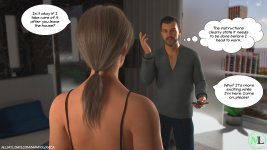
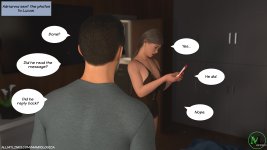
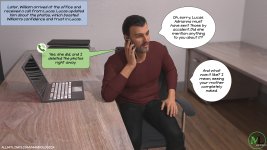
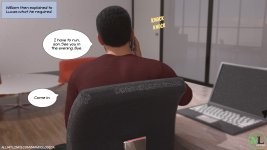
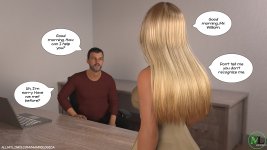
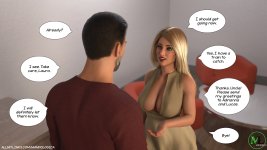
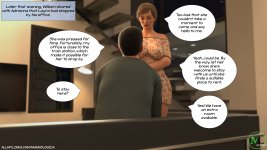
a little tease as to what's come next

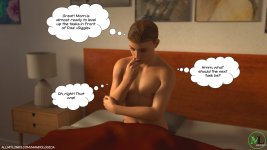
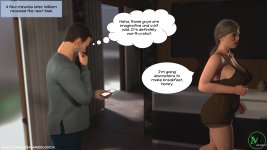
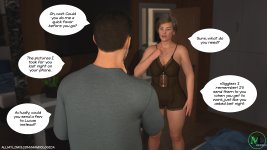












Shadow-1980
New member
Порно комикс Разрушение границ. Часть 10. Breaking Boundaries. MandoLogica
Порно комикс Разрушение границ. Часть 10. Breaking Boundaries. MandoLogica