
yano2mch
Professional Geeky Perv
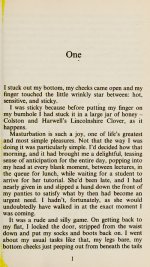
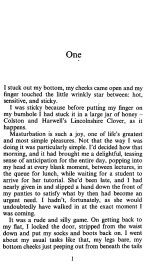
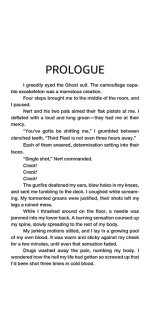
This thread is primarily to identify and hopefully convert/fix some books that say they are epub or pdf files, but internally are nothing but sequential images. I've seen this quite a bit on Anne's Archive (and especially with certain authors), likely from screen-capping each page and slapping them into a epub/pdf and uploading it. This would result in what is a short 30-40 page story, to a 60Mb pdf/epub file.
A few instances of older books scanned and being OCR'd are a combination of automated OCR (usually with the internet archive stamp in it) while may have most of the OCR correct, is still a humongous size.
As an example, I've reduced the pages so the book is a mere 600k.... for 20 pages... (It was originally 14Mb, Some books hundreds of pages long... yeah will still push 10Mb even when compacted like this). But considering each page should be about 2k of actual content, this book/short should be ~200k.
I'd suggest if we find any that need to be worked on, we might do a request and drop them here. I have a script to reduce to the above, a 'reasonable' size but is really still far too big for it's contents; However proper OCR can make a much better epub with a bit of work, mostly finding where the OCR failed and fixing typos (which often is I, certain quotes, and sometimes lines of garbage when the OCR thinks it finds something, as well as occasionally unreadable corruption), and finally slapping it into Calibre. I'd guess you're putting 1-5 minutes per page of effort in if you decide to take up one of the books, skimming for errors or reading it and fixing it as you go.
I'd hope the fixed/finalized works can be added to the appropriate threads elsewhere.
A few instances of older books scanned and being OCR'd are a combination of automated OCR (usually with the internet archive stamp in it) while may have most of the OCR correct, is still a humongous size.
As an example, I've reduced the pages so the book is a mere 600k.... for 20 pages... (It was originally 14Mb, Some books hundreds of pages long... yeah will still push 10Mb even when compacted like this). But considering each page should be about 2k of actual content, this book/short should be ~200k.
|
| COME INSIDE C hat’s it,’ Dennis says as he kneeis on the pavers and angles the camera upwards to make my breasts look like mountains. ‘Arch your back.’ | feel like my spine’s about to snap in two, but Dennis is the best photographer there is, so | Know the photo’s going to be worth it. And he’s smoking hot too, his hair so blonde it’s almost white, the muscles in his |
I'd suggest if we find any that need to be worked on, we might do a request and drop them here. I have a script to reduce to the above, a 'reasonable' size but is really still far too big for it's contents; However proper OCR can make a much better epub with a bit of work, mostly finding where the OCR failed and fixing typos (which often is I, certain quotes, and sometimes lines of garbage when the OCR thinks it finds something, as well as occasionally unreadable corruption), and finally slapping it into Calibre. I'd guess you're putting 1-5 minutes per page of effort in if you decide to take up one of the books, skimming for errors or reading it and fixing it as you go.
I'd hope the fixed/finalized works can be added to the appropriate threads elsewhere.
Last edited: