
Navigation
Install the app
How to install the app on iOS
Follow along with the video below to see how to install our site as a web app on your home screen.
Note: This feature may not be available in some browsers.
More options
Style variation
You are using an out of date browser. It may not display this or other websites correctly.
You should upgrade or use an alternative browser.
You should upgrade or use an alternative browser.
[NandoF] Secret Desires

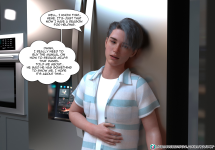
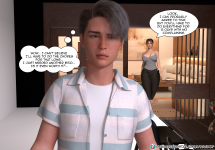
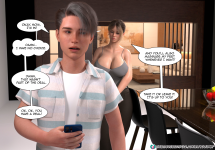
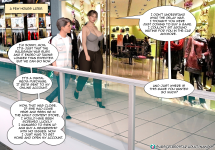
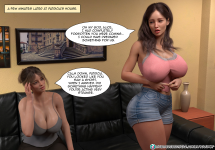
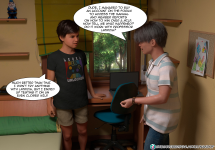
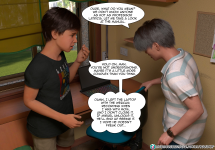
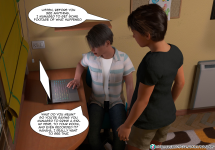



egenes
Active member
This new chapter 2 of Secret Desires is 1,85 GB of storage. Quite sizable if you ask me...
I hope that some of you good people out there, with the correct program and knowledge, could post the images with redused size.
I'm running low on free space on my harddrives, and was hoping to save some space...
I hope that some of you good people out there, with the correct program and knowledge, could post the images with redused size.
I'm running low on free space on my harddrives, and was hoping to save some space...

Urikf
Active member
There are 2 ways:Miguel looks like a mini-Daniel from Immoral Desires
1. Leanify (jpg optimizer) ~10-15%
2. Convert to JPEG-XL ~25-30%
Anything else will result in loss of image quality.

Kamadeva69
Well-known member
Hello,
Does anyone have the cover of Secret Desires #2 ?
Does anyone have the cover of Secret Desires #2 ?

OldGreyGeek
Active member
Ok, I tried it here. SD2 reduced to 143MB, same resolution. The tool used was Irfanview (https://www.irfanview.com/). Again, my uplink is too slow to complete in the APC maximum allotted time. SO...
For you edification and enjoyment I put it to Mega at https://mega.nz/file/82cFGJjR#WxfA6d6qhR2DkSE8ghTWjwA99AoaKOE1IX_sypjNVjQ
PLEASE, someone copy it to the thread here 'cause if I need more space on Mega.nz it's gonn'a be gone.
Also, let me et al. know what you think of the conversion.
For you edification and enjoyment I put it to Mega at https://mega.nz/file/82cFGJjR#WxfA6d6qhR2DkSE8ghTWjwA99AoaKOE1IX_sypjNVjQ
PLEASE, someone copy it to the thread here 'cause if I need more space on Mega.nz it's gonn'a be gone.
Also, let me et al. know what you think of the conversion.
egenes
Active member
It look's great. Thank's a lot !!Ok, I tried it here. SD2 reduced to 143MB, same resolution. The tool used was Irfanview (https://www.irfanview.com/). Again, my uplink is too slow to complete in the APC maximum allotted time. SO...
For you edification and enjoyment I put it to Mega at https://mega.nz/file/82cFGJjR#WxfA6d6qhR2DkSE8ghTWjwA99AoaKOE1IX_sypjNVjQ
PLEASE, someone copy it to the thread here 'cause if I need more space on Mega.nz it's gonn'a be gone.
Also, let me et al. know what you think of the conversion.


justanothernoob
Well-known member
Here you go, posted as requested.Ok, I tried it here. SD2 reduced to 143MB, same resolution. The tool used was Irfanview (https://www.irfanview.com/). Again, my uplink is too slow to complete in the APC maximum allotted time. SO...
For you edification and enjoyment I put it to Mega at https://mega.nz/file/82cFGJjR#WxfA6d6qhR2DkSE8ghTWjwA99AoaKOE1IX_sypjNVjQ
PLEASE, someone copy it to the thread here 'cause if I need more space on Mega.nz it's gonn'a be gone.
Also, let me et al. know what you think of the conversion.
Attachments
OldGreyGeek
Active member
Thanks, good help is hard to findHere you go, posted as requested.

yano2mch
Professional Geeky Perv
This new chapter 2 of Secret Desires is 1,85 GB of storage. Quite sizable if you ask me...
I hope that some of you good people out there, with the correct program and knowledge, could post the images with reduced size.
I'm running low on free space on my harddrives, and was hoping to save some space...
There are 2 ways:
1. Leanify (jpg optimizer) ~10-15%
2. Convert to JPEG-XL ~25-30%
Anything else will result in loss of image quality.
Depending on resolution reducing to 1080p looks pretty good for most images. As well as using webp, which i'm not sure how it compares to Jpeg-XL.
I tend to use JpegOptim which rebuilds the huffman trees to better optimize them, usually resulting in anywhere from 2%-30% compression (no image loss) usually averaging 8-12% in most images i see. Not sure how Leanify works just yet.
If they are png, converting to lossless webp results usually in 50% or better compression. Though some images are completely uncompressed and even a quick pass will save you 80% of the space in those cases. (Talking 60Mb files that should be more like 8Mb)
Blue Amulet's models to remove jpeg artifacts works pretty well depending on if you're upscaling or cleaning up for png or something, doesn't hurt as a process before recompressing to a different format so you don't keep those ugly flaws.
Kamadeva69
Well-known member
Secret Desires Chapter 2 pages 111-140 end of the chapter source @Miltin12345 F95zone site.
View attachment 2076992 View attachment 2076993 View attachment 2076994 View attachment 2076995 View attachment 2076996 View attachment 2076997 View attachment 2076998 View attachment 2076999 View attachment 2077000 View attachment 2077001 View attachment 2077002 View attachment 2077003 View attachment 2077004 View attachment 2077005 View attachment 2077006 View attachment 2077007 View attachment 2077008 View attachment 2077009 View attachment 2077010 View attachment 2077011 View attachment 2077012 View attachment 2077013 View attachment 2077014 View attachment 2077015 View attachment 2077016 View attachment 2077017 View attachment 2077018 View attachment 2077019 View attachment 2077020 View attachment 2077021
Thank you Nippur for your posts
Are you going to post Chapter 3 soon ?
Nippur
Well-known member
Thank you Nippur for your posts
Are you going to post Chapter 3 soon ?
You are welcome but I am not a sub of Nandof. We have to wait a generous soul

Last edited:
Kamadeva69
Well-known member
OK no issue, I can understand.You are welcome but I am not a sub of Nandof. We have to wait a generous soul.
Anyway thank you very much for all your already shared contents


Kamadeva69
Well-known member
Hello, is someone has Secret Desires #2's cover ?