• Staff Applications are OPEN! [ Staff / Moderator ] More Info HERE Help us make a better forum for everyone!

Upscalers discussion (software)

yano2mch

Professional Geeky Perv
Trying to better determine if there is a better/best upscaler that should be used. Now most of the upscalers are Neural Networks based, but I wouldn't consider it AI as compared to just a tool that estimates the best choice of pixels.

How these things work (AI Image generation as well) is by applying static, and then 'denoising' based on it's internal weights and filters before it comes to a result. In a lot of cases it does the right thing, but then other times it doesn't look right.

Now while I'm talking free software/tools to start with, a good paid one i'd consider getting if it meets certain criteria (mainly Offline, and no DRM, but a lot of software is trying to be subscription based...). Though that would mostly change the models used.

Most of the time i've been using RealSR, though recently learned of Upscayl. RealSR is 4 years old while Upscayl is considerably newer. Waifu2x however seems far more tuned to anime/manga/drawings. Though simply upscaling and then downscaling can result in most artifacts from Jpeg and video compression to be removed, though it can't detail it can sharpen and clean up quite a bit, even the waifu2x photo or cunet does decently on these. The downside is if you don't have a GPU then it can be VERY SLOW. We're talking like 20 minutes a picture using RealSR or Upscayl (talking 640x480, which would take 45 seconds on a GPU)
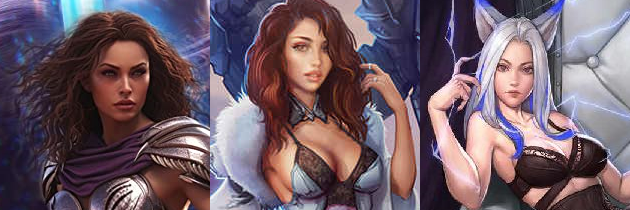
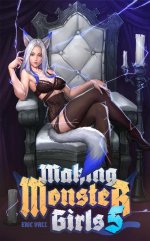
battlebabes5_metalmage8_makingmonstergirls5.png


The above is taken from 3 books, Battle Babes, Metal Mage, and Making Monster Girls. MMG was one of the lowest quality covers i've seen in a ebook.

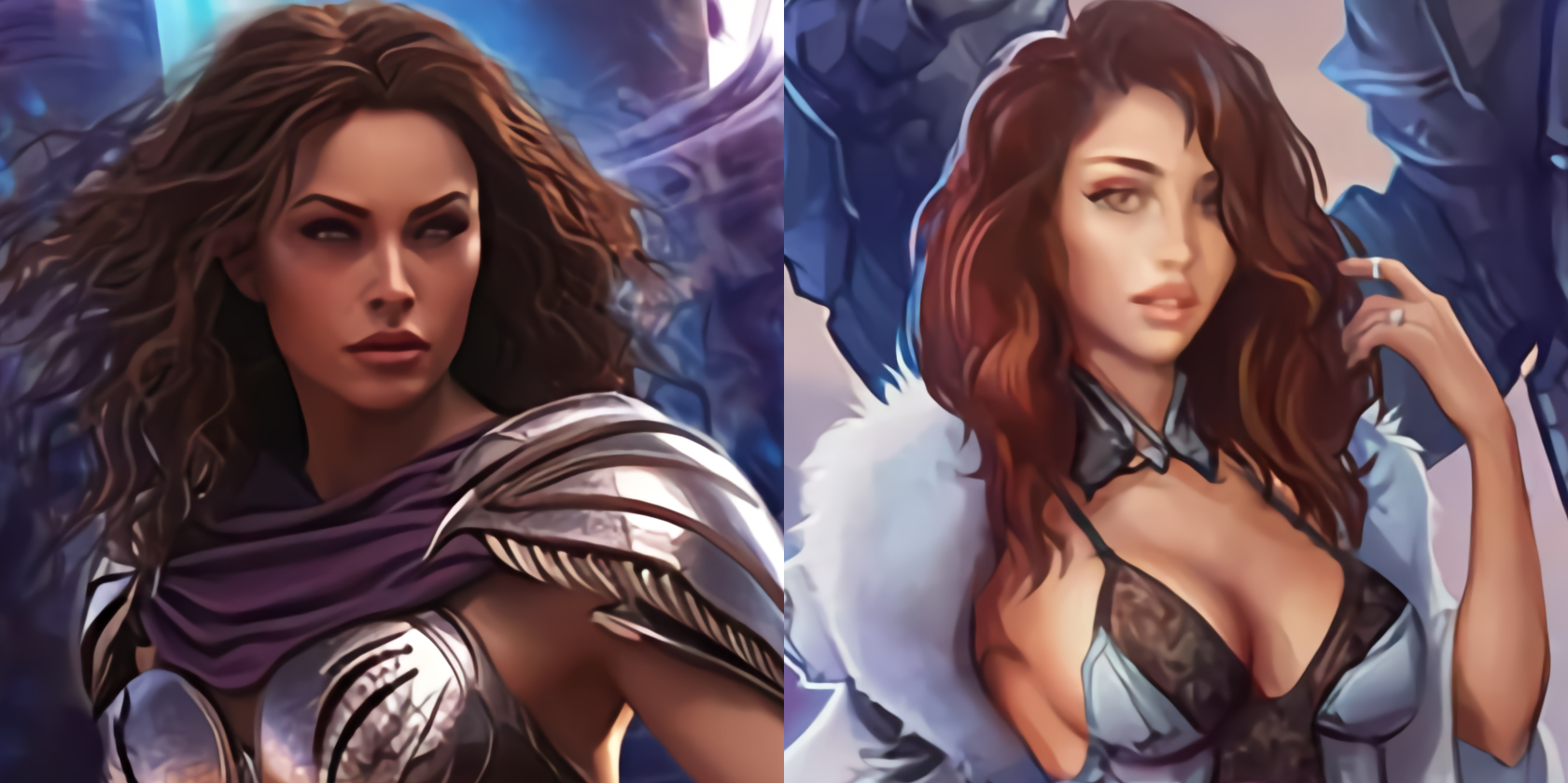
Waifu2X is probably the weakest, though it's better and intended for anime.
waifu2x.png


The advantage from Waifu2x is probably that it smooths the results more, so instead of having noise/static all over the place, and gives it a more painting look. It also makes armor/metal look super shiny. Though Upscayl on fast gets a very similar result. unfortunately the Making monster girls looked terrible.
realsr.png


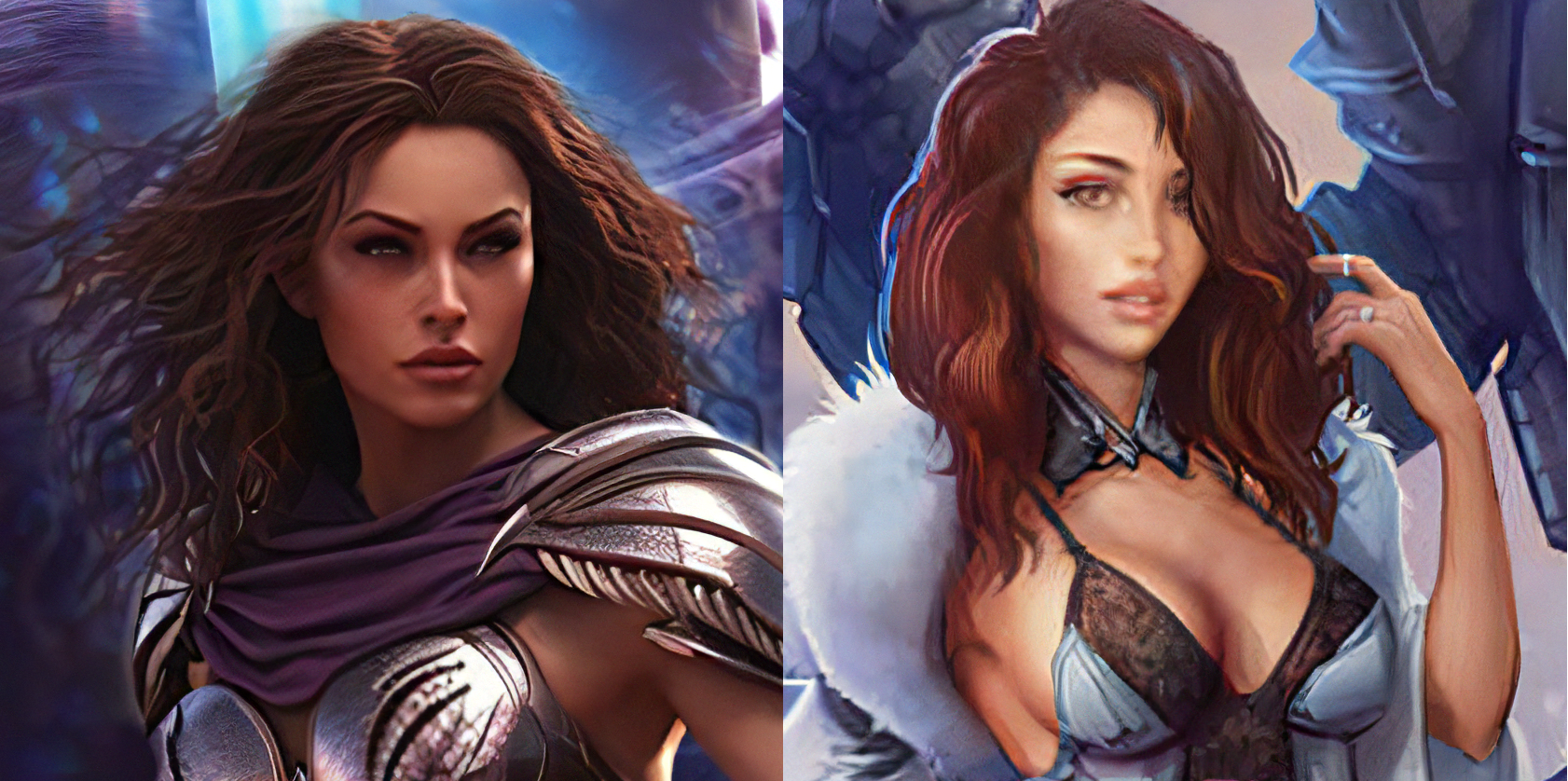
RealSR, while intended more for realistic photo images, does a decent job on just about everything.
upscayl.png


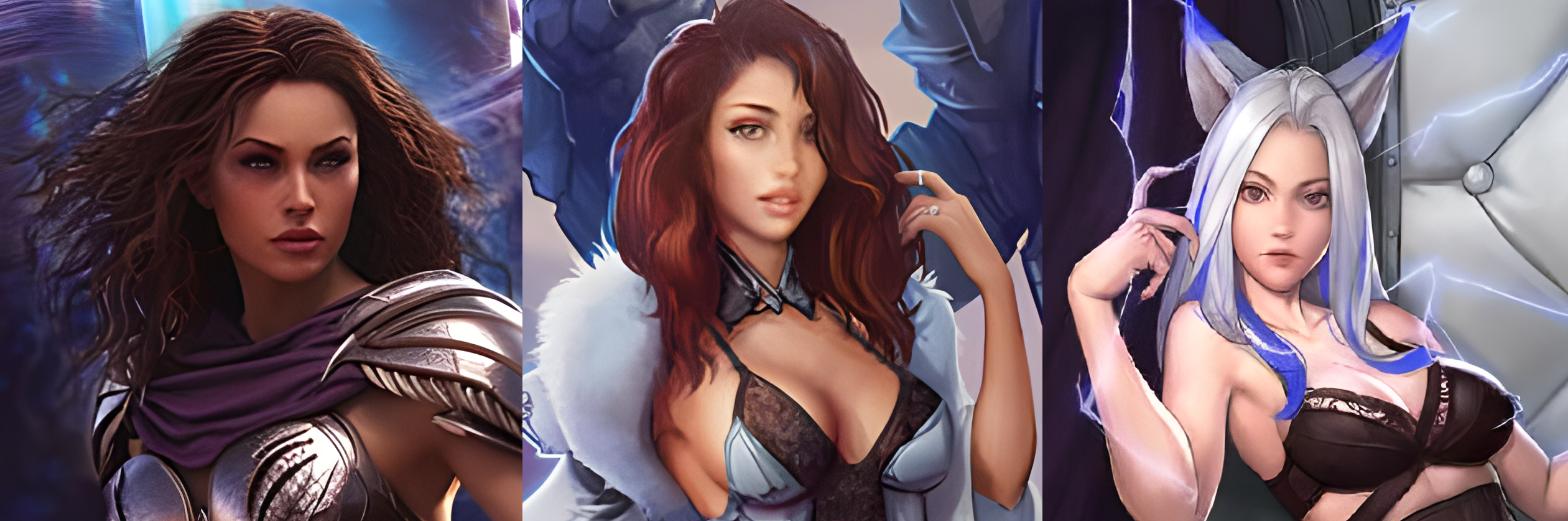
Upscayl as above, did Making Monster girls decently so it's included. I'm starting to lean towards using Upscayl as my default upscaler.

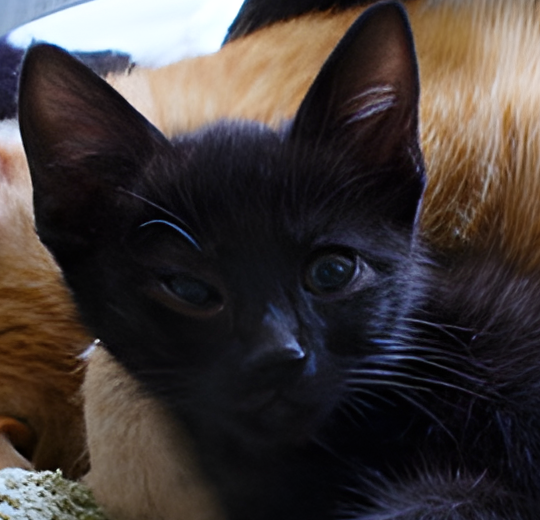
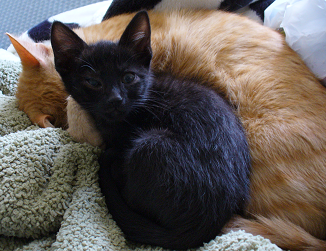
As for real photos, i scaled an old picture of a kitten down, then upscaled it again.
kitten.png
upscayl-kitten.png


Now i also do OCR work, converting books that are filled with images (and not text) and converting them back to text. Waifu2x does a decent enough job of converting low quality pages into ones that are easier to read but have fewer mistakes when running through an OCR tool.
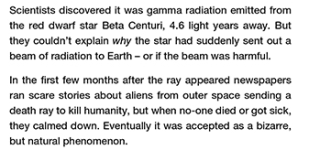
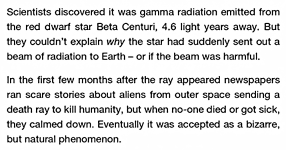
harem_star_aliens_page_orig.pngharem_star_aliens_page_waifu2x.png

If someone has a better scaler or suggestions for settings/models to get better results, i'd enjoy hearing them.

RealSR
Waifu2X
Upscayl (Super Resolution on github, but only has 1 model, and you gotta get past the installer)

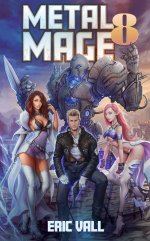
battlebabes5.jpeg metalmage8.jpeg makingmonstergirls5.jpeg
 
Last edited:
For completeness sake, here's the realsr/waifu of making monstergirls 5, they aren't pretty.

Not sure why the eyes are messed up on RealSR, and it's a little too blurry where it looks like a blurry capture from waifu2x.

mmg5-realsr-waifu.png
 
Got some images to downscale to 1920, however in a process of it some aren't quite the right size (not at least 2x) so i have to upscale first so it scales cleanly.

Regardless, trying the upscayl fast method realesrgan-x4fast (doesn't look good upscaled, results are similar to waifu2x) which looks really good at removing blemishes and problems when you intending to downscale.

Anyways, blemishes on jpeg are obvious to see when you zoom in, but they can be quite well cleaned up using this, and is a lot faster than a full pass considering we don't really care about the upscaled version since we're intending on same size or shrinking anyways.

can_cleanup.png


Looks good enough for me, at least for this usecase, otherwise the slower full upscale which takes like 20 minutes an image needs to be done.

Though on black and white images, threshold does a better job, but color this looks pretty darn good for cleaning up the image.
 
Upscayl is my go to, it's local, easy to use and works pretty well!

Yep, it's my default at this point too over RealSR. I don't use the GUI as it took so long i never got it fully loaded, instead relying on presets and directories where i drop images to be processed.

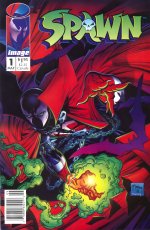
Even the fast/anime as it's uses too. I did anime upscale on a comic book cover that was grainy and it looked outright awesome.

Spawn_anime.jpg
 
I'm going to conclude a lot of people probably won't take the time to do the work to download, experiment or make batch files; So here's the upscalers ready-to-use. Configured to drop images in the 'input' folder (not recursive), run the upscaler batch file with settings, and they will be dropped in the 'output' as png files. (Links to scalers in first post)

While waifu2x and realSR say they can use software mode, testing it before putting it up i can't get the results (It may just use a lot of RAM and mine was low; though if you DO get results, they can take like 10 minutes per image or longer). But otherwise all three should work well with a halfway competent GPU.

Thoughts:

Waifu2X
- From my tests it's a decent upscaler, and cunet will be decent enough, but after upscaling you should downscale to 2x, unless you're working with something drawn or anime/manga, the diagonal zig-zag patterns it makes can be a little jarring. Found to be the best for upscaling text before doing an OCR pass. If you don't look closely at the result you can even use waifu2X to upscale before printing images.

RealSR - It's a decent enough medium quality all around upscaler. If you have images with artifacts, use the normal batch. If you don't (like passing a png or something) use the no-jpg batch. This has to do with noise reduction, if you don't you'll get added noise that was intended to be removed. You'll see if you do it.

Upscayl - extracted from the package and repurposed as the CLI component, no GUI needed (which i never got to load), uses same batch file setups but don't see a CPU-only mode. I've reduced the window to 96 vs 300-400 since that's what it takes to run on my GeForce ti 1050. Higher and it barfs... So probably don't touch that unless you have a beefy video card.


NOTE: If you want it to go faster on the RealSR/Waifu2X, you can edit the batch files, changing -j 1:1:1 to something higher. With 4GB video memory i can at most do 3 for the GPU. It's DECODE : GPU : ENCODE, being threads. Hundreds of megs (or even a gig) will be used per GPU thread. If you mess up it will start outputting 1mb or smaller black empty files. Upscayl it will eat memory but just be slower on each process so i don't see a purpose in increasing beyond 1, just let it work. I mean if you have multiple GPU's then tweak the -g option until you are happy with it.


NOTE 2: If you change the format -f to webp, be mindful resolution won't let you go above width/height of 16k, so don't have any images with dimensions above 4k. Also encoding webp is considerably slower but likely has half the size output. Most tests show formats to be lossless except jpg, though the -q setting to 100 can make jpeg lossless, but isn't any better than png. so best to do png or webp.
 

Attachments

  • waifu2x-ncnn-vulkan-20220728-windows.zip
    waifu2x-ncnn-vulkan-20220728-windows.zip
    33.8 MB · Views: 39
  • realsr-ncnn-vulkan-20220728-windows.zip
    realsr-ncnn-vulkan-20220728-windows.zip
    60.7 MB · Views: 33
  • upscayl.zip
    upscayl.zip
    129.8 MB · Views: 228
Last edited:
Came across a case example of the upscaler just barfing. I try to upscale color manga images to clean up the artifacting of it being jpeg on edges before rescaling it down again and converting to webp, which results in cleaner less grainy images at half the size.

But in some cases, checkerboard dithering it just barfs outright. (using the anime pass)

barf.webp


On the other hand experimenting i found (on my ti 1050, 4Gb) i can go up to a tile size of up to 350 for anime (probably make it 352, so it's divisible by 32) before it eats all the memory of my video card (about 3.1Gb)

As for the queue error, i can go to tilesize of 256 on normal up-scaling, doesn't run out of memory... (Uses 2Gb VM)

While 96 it eats considerably less and does pretty well if you aren't sure. Said square edges of blocks breaking up an image when it happens can be quite distorting...

Though how much free ram you have also comes into play. On the other hand with the image example above, normal upscaling works, it's just... grainy...
 
Last edited:
I am quite amazed at how much the upscalers can clean up images. Using anime on upscayl you can see this side by side from the original (jpeg).

I remember a previous gf who didn't understand lossy compression on jpegs and would have to fix her art when she reloaded it before changing it because the artifacting on the edges. (I told her to save as png to prevent that, and she was quite happy, before moving onto sai i think, but that's another topic).

Anyways, how much of this can make it easier on the eyes, or doing a pass on stuff you plan on reading.

autohuntingclones.png
 
Last edited:
Checked and i see an updated 2.15 version of upscayl. Comparing files, there's 2 new models (and a lot renamed). Binary files didn't change.

Soooo... here's the new models and batch files to go with them. Extract/add to the current upscayl folder and you're basically done... They added fidelity and standard.

The renamed ones which i'm not going to touch, no need to muck it up; They called remacri=ultramix_balanced, digital-art=realesrgan-anime, fast=lite. Others they just removed the 4x while it's still 4x. If you get into the weeds i'm sure you'll see what i'm talking about.

If you want the base upscayl here's a quick download link so you can avoid searching for it.
 

Attachments

  • upscayl_215.zip
    upscayl_215.zip
    58.9 MB · Views: 36
Interesting. Apparently there's several models you can download from (openmodeldb being a source referenced) that are upscayl compatible, they have to be NCNN AND Esrgan, but it requires a converter tool to convert from PythonTorch to NCNN.

Anyways if there's a model you want converted i will try and if it works i'll be happy to share it out, rather than having someone else fight through using this tool called ChaiNNer and downloading 3Gb of programs and getting the workflow set up... It's very much a pain working blind from a few lines of description on the page.

9999gatcha.png

RealESRGAN_x4plus

Edit: Having converted a couple dozen, the 1x and 2x scaled ones break (it obviously is tiled internally wrong); Might need more inputs in the conversion. I'll give that a go another time.

edit2: Found at least one thing worth getting. WTP-UDS-Esrgan; Some manga pages are covers and have that odd multicolor indented coloring thing that they do on book covers. Trying to blur and upscale hasn't succeeded well. But here we have one that does a respectable job.

Keeping that in mind i gave spawn a second pass with it, you can see the squares where the tiles are processed... but beyond that, it looks absolutely awesome. If i could make the tile much larger those minor edges would go away. or offset and average over 2-3 passes.

anima_back.png
spawn_2x.png


edit3: Found 2x scalers can work too, however you have to tell upscayl that it's a 2x scale via -z option. 1x scale (filters?) don't seem to work. But they work in chaiNNer, could be a problem with the conversion, Trying to go for text cleanup ones the 8x also doesn't work at all. so 2x and 4x are potential options.
 
Last edited:
Well this has been a successful if i get a handful of useful scalers/filters. I found some 1x jpeg cleaners/filters that actually work in upscayl, which confuses me why the others failed... Regardless.

Here's a couple new filters/scalers I figure everyone may want; I'm adding to my toolbox and you can use too.

WTP-UDS Esrgan, (shown above with the spawn image) is good for really grainy covers or really really staticy/noisy images, i've seen some AI Gen stuff here that is horridly hard to look at due to the sheer static/noise. Otherwise Uncle Whiskers coverbook would have been nice to run this with.

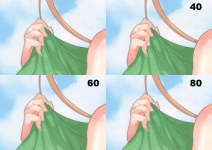
Jpeg cleaner (by BlueAmulet, the googledrive has all 5 in one place, set in 20% compression levels), which doesn't scale the image up.
Default jpeg compression usually is 80-85%, so it's doubtful you'd need lower than 60-80%.

If you do i'm happy to share the converted models for the lower ones (or you can do it yourself). Each model is about 64Mb, or half that if 16bit floats are used. But i'd rather not lower the floating type unless i have to, or unless it is dropping that internally by upscayl.

edit: added the lower ones since i am finding i need the 40-60 to clean up other images more often. So i just added it here. Doesn't seem worth a new post.

hand40-80.png

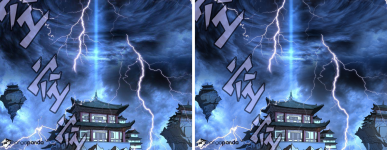
source: Stop you intend to rape me

magic_emperor.png

I'm seriously impressed with the results (Look closely at the sound effects or lightning and you can really see where the jpeg compression artifacting is reduced, here with 60% i seriously can't see where the compression artifacting used to be, and 80% i could barely see them). I am tempted to run most future jpegs through this before further processing. The earlier example from autohunting with my clones did upscaling and then resized back to the original (or left at 4x), where this didn't change resolution making it effectively a much longed for filter.

The zip contains the converted NCNN versions and batch files ready to use/append to the previous upscayl set.
 

Attachments

  • models_jpgwtp.zip
    models_jpgwtp.zip
    176.6 MB · Views: 32
  • upscayl-jpg_low.zip
    upscayl-jpg_low.zip
    176.2 MB · Views: 31
Last edited:
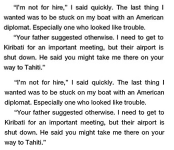
Alright, in regards to OCR i have two candidates that do really well, and tests show minimum problems. This should raise OCR results from 95% to 98-99% correct.

First candidate is Ultrasharp which appears to be a generic all purpose upscaler which tries to add detail. Description says it's pretrained with 4xESRGAN and then he added more. Either way it looks decent.

The second one is 8x Typescale. Even url links do halfway decently. This is good for really small/low-quality pages, I see some that are 360px wide and 30-40 of that is whitespace. So 300-320px. That means there's a lot of text that can result in garbled. Larger text to start with probably don't need this approach.


typescale.png
ā€œ?m not for hire,ā€ | said quickly. The last thing |
wanted was to be stuck on my boat with an American
diplomat. Especially one who looked like trouble.

ā€œYour father suggested otherwise. | need to get to
Kiribati for an important meeting, but their airport is
shut down. He said you might take me there on your
way to Tahiti.ā€

That's probably it for optional models that seem promising and useful.
 

Attachments

  • upscayl_ocr.zip
    upscayl_ocr.zip
    58.8 MB · Views: 34
Last edited:
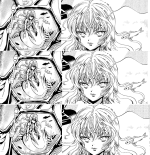
Alright, special cases... Manga upscaling with 2-tone/BW. While a number of the scalers look okay, only a manga-specific scaler seems to look the best, even if i have to double it to get it to 4x.

2x-MangaScaleV3 by Bunzero++, only works on BW images, so the earlier barf image works too but i don't think anyone wants to fight with transferring coloring.

anima_mangascale2x.png Here is 1x, 2x and 4x, so you can see from two parts of the image, hopefully enough detail to consider without taking a ton of space.

Esrgran ultrasharp and Fatality comix both look decent too, but doesn't quite feel as authentic to the way mangas look/feel. of bubbled dox-matrix. I'll hope for an improved model in the future.

Somehow i'm not expecting anyone to use this compared to earlier ones, as it hits more and more niche territory.
 
Tried the WTP-UDS ESGRAN on a grainy image that wasn't a anime/manga/comicbook. Some details are lost (his elbow being the easiest example, her pants are more muted and look more plasticy, possibly a sharpen pass would fix that, or mix 50/50 with the original) but otherwise smooths it pretty well. (Naturally i scaled back down to the original size for this comparison). On some stuff that doesn't really qualify the output is quite borked. But really grainy cgi-gen images that need a bit of de-noising, looks quite a bit better.

64-jpg.97120
64_b.jpg


Oh this is from How to become a porn star... A number of those images are mixed grainy and non... fun fun.
 
Just for fun ran through the entire Spawn #001 issue and upscaled 2x via WTP-UDS; As well as normalized the colors. I'm not going to do everything, but the first issue may be looking over. Gave enough compression it's slightly larger than it's source while being higher quality.

Spawn_#001_00FC.jpg
 

Attachments

  • spawn_001.zip
    spawn_001.zip
    11.5 MB · Views: 29
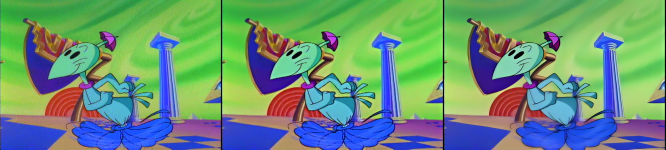
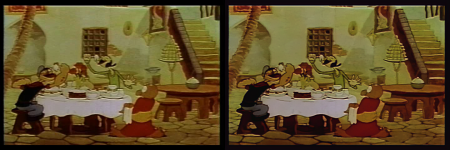
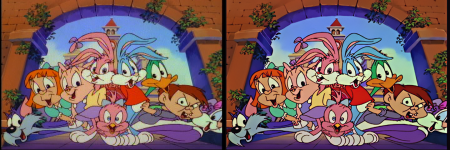
Currently working on some cartoons, on archive found 1939 classics and Tiny Toons. Was processing them using WTP-UDS, but i think a certain BW denoiser cleans it up enough i can upscale it rather than using it just to clean it. The folks really don't care about their old stuff as it's so grainy from the source, borderline unwatchable.

Anyways, Image -> Denoiser -> WTP-UDS (Downscaled to 720p)

tt.png

For Popeye on the other hand, Broadcast to video looks considerably better, though it's still garbage enough i don't think up-scaling it will do anything.

1.png
 
I'll have to end up going with a more conservative approach and leaving the resolution alone, it still cleans up the animation greatly, but i see garbage every other frame. Maybe a better deinterlacer other than w3fdif may result in cleaner, but this should suffice.

Orig -> WB Denoise -> Deinterlace Fix -> Broadcast Compact

3-stages-progress.png

Here's the original vs final frame.
firstlast.png
 
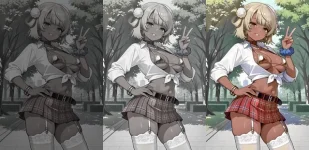
Okay, came across something very weird. Anti-censorship measure? Images for Character cards that are dark as hell, but barely viewable. Notably from DemonicCandy all his work has them; Using Candi as a clean example.

Testing and normalizing it, it was a LOT better, but some images are still too dim. Increasing saturation will make the colors pop more (this one i did twice) until it doesn't look like crap. Finally up/downscaling to smooth edges out (maybe resize blur resize may do it...). And i get a workable image.

I guess to say, some of these solutions are possible... Some... I hate censorship.

out.webp

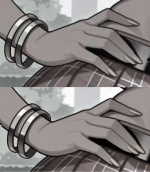
You also need to deartifact the jpeg if it was. I get the feeling some places store the image as webp/jpegs and then convert on the fly to serve to users to use less space on the server. (Smart, except the jpeg artifacts look bad when you look at them, making that stupid).

If you don't remove artifacts, well you get this, and saturation increase bleeds the colors really badly. Plus some deblocking issues.

hands.png

edit: updated link to candy genie bimbo source, since the other site is shutting down...
 
Last edited:
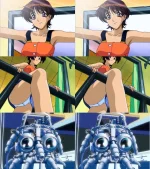
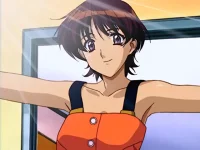
I noticed the upscayl 2.15 github page has a reference to a model named Remacri, and from what i see it doesn't look bad at all for output; Though i may like it better for upscaling old anime. the problem i keep seeing with upscaling of anime or the like, is it looks like a weak marker was used for the edges rather than a dark pen for lines.

But this doesn't look bad at all. Maybe the compact filter beforehand, or an edge detector or sharpener to blacken the lines more would make this even better and worth upscaling.


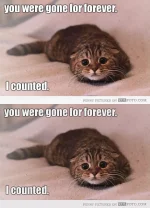
(normal, xtra-smooth for the cat. Needed a realism image for comparison)
handmaidmay.webp forever.webp

(btw, android squid... The mechanical insides of Ghost in the Shell and a few other titles are awesome looking.)

edit: Seems the broadband pass would darken the lines enough, and makes things a bit more distinct. Now i get the fun job of upscaling the first episode and see if it was worth the effort.

00000052b.webp
 

Attachments

Last edited:
Back
Top Bottom