
Crazydad3d
Active member
He loves me.

Follow along with the video below to see how to install our site as a web app on your home screen.
Note: This feature may not be available in some browsers.




He loves me.












He is making money off other people's work, yet he wants to add a watermark as if he were the creator.And it really is a lot of work to create and render a story.
This leech doesn't like stories of bestiality, and his thing is bothering anyone he disagrees with or has any disagreement with. Don't bother with him, just ignore him.

Is it just me, or has the character's skin become extremely white ? And the grain of the drawings is odd.Then get a room.
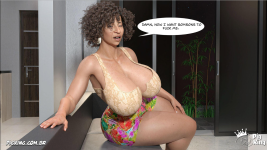
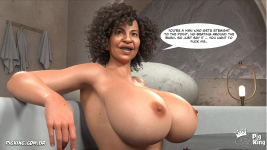
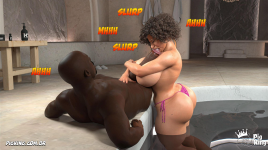
Anyway, as expected, Emily 05 preview as found on e-hentai.org.
View attachment 2904896View attachment 2904897View attachment 2904898View attachment 2904899View attachment 2904900View attachment 2904901View attachment 2904902View attachment 2904903View attachment 2904904View attachment 2904905View attachment 2904906View attachment 2904907View attachment 2904908View attachment 2904909View attachment 2904910View attachment 2904911
I didn't like the lighting, so I talked to Teddy, and we're going to change it in the next episode.Is it just me, or has the character's skin become extremely white ? And the grain of the drawings is odd.
i totally agree...I didn't like the lighting, so I talked to Teddy, and we're going to change it in the next episode.
Try This:I didn't like the lighting, so I talked to Teddy, and we're going to change it in the next episode.
| Light | Type / Position | Color | Function |
| Ambient | HDRI / Sun-Sky (Background) | Cool Blue / Cyan | Establishes the night mood and brightens shadows. |
| Key | Spotlight (Front/45°) | Neutral or Soft Warm White | Keeps skin bright, visible, and sharp. |
| Rim | Spotlight (Behind) | Intense Deep Blue | Separates the character from the dark background. |
| Practical (Optional) | Lamps / Screens in scene | Warm Orange / Yellow | Creates optimal color contrast (Orange & Teal). |

Most of the PK characters range from attractive to hot. I think this one is the only one that can be deemed “ugly,” but let’s remember two things; 1) the name of the series is “butterface,” and 2) it’s very obvious she’s based on Sara Jay, who has a similar face IRL.I would like to understand the reason why Frank Romano is so obsessed with ugly women. He really seems to like this type of character, which makes me think he must have a pretty complicated personality. It seems like he wants to push his personal tastes onto the public at all costs.
The only point in Frank Romano's favor in this story is that, at least, he discarded those giant, glitter-filled onomatopoeias. However, he still has a long way to go before I can give him a proper compliment.
View attachment 2904891 View attachment 2904892 View attachment 2904893 View attachment 2904894 View attachment 2904895
I understand your point of view. The big problem is that Frank Romano gives off the impression that he does not really know what he is doing. Instead of focusing on what is already proven to work, it feels like he is trying to force his personal taste onto the readers, completely ignoring successful examples in the market.Most of the PK characters range from attractive to hot. I think this one is the only one that can be deemed “ugly,” but let’s remember two things; 1) the name of the series is “butterface,” and 2) it’s very obvious she’s based on Sara Jay, who has a similar face IRL.
Now that you mention it, I’m surprised Sara Jay didn’t ask Frank Romano for $20 as royalties.Sara Jay, for instance, is way hotter than those bizarre copies he makes.


Man, I haven't even read that storyHi @Crazydad3d, I wanted to ask you if you're going to continue Selina's story...
No, for nearly six months now.Is there still no news about Lost Family 84?

 )
)
We just have to hope that Goliath is something original and dirty.Random lost family edits
(I cant wait to see the goliath fucking cinthya
View attachment 2914819 View attachment 2914820 View attachment 2914821

