• Staff Applications are OPEN! [ Staff / Moderator ] More Info HERE Help us make a better forum for everyone!
  • We have noted and are working on fixing the issues with emails and notifications.

[Pigking/CrazyDad] Comics


The Workflow of 3D AI Studio with Daz 3D and Blender

https://www.3daistudio.com/Dashboard

Introduction: Presenting 3D AI Studio

3D AI Studio (available at 3daistudio.com) is a next-generation generative platform designed for the computer graphics, animation, and digital creation ecosystem. Built to serve as a complete 2D and 3D workspace, the tool stands out by going beyond conventional image generators: it integrates advanced features for creating models from scratch (Text-to-3D and Image-to-3D) alongside a dedicated retexturing module (AI Texturing). Featuring an intuitive interface, the platform dramatically accelerates the workflow for independent artists and studios alike, delivering professional-grade results with native support for major industry file formats.

The Integrated Workflow: Daz 3D, Blender, and 3D AI Studio

Combining traditional modeling software with artificial intelligence has transformed computer graphics. This hybrid approach enables artists to pair the precise anatomical control of traditional 3D with the rapid rendering and fine detail of generative AI. Among current tools, 3D AI Studio distinguishes itself not as a simple 2D image generator, but as a full-fledged 3D platform powered by Text-to-3D, Image-to-3D, and intelligent retexturing capabilities.

Technical Terminology in 3D Workflows

To keep technical communication aligned with industry standards across gaming, animation, and visual effects, standard terms replace architecture/CAD conventions (where ready-made assets are often called "blocks"):

  • In Blender: The geometric structure formed by vertices, edges, and faces is called a Mesh, while the entity placed within the scene is an Object.
  • In Daz 3D: Environmental elements and clothing items are categorized as Assets or Props, whereas articulated characters with skeletal rigs are referred to as Figures.
Mesh Integration and PBR Material Generation

When standardized mesh files (.FBX, .OBJ, or .GLB) exported from Daz 3D or Blender are loaded into 3D AI Studio, the system analyzes the surface volume and generates new materials automatically—bypassing the time-consuming process of manual UV unwrapping.

The primary professional advantage of the platform lies in its automatic generation of PBR (Physically Based Rendering) maps, including Albedo/Base Color, Normal Maps, and Roughness Maps. Rather than projecting a static image onto the surface, the AI generates true surface detail maps that react dynamically to scene lighting when imported back into engines like Blender (Cycles/EEVEE), Unreal Engine, or Unity.

Selecting the Optimal Pipeline

When building complex scenes—such as a couple in an interior environment or a character with a pet—artists generally choose between two primary workflows based on project requirements:

PipelineCore ProcessBest Suited For
1. 3D PBR TexturingExport 3D assets from Daz/Blender $\rightarrow$ Generate PBR texture maps via AI $\rightarrow$ Re-import assets back into 3D engine for final lighting and rendering.Animations, real-time games, interactive media, and full lighting control.
2. Direct-to-Image FinalizationSet up character poses and composition in Daz 3D $\rightarrow$ Pass viewport render or screenshot to AI (Image-to-Image) $\rightarrow$ Output final polished 2D artwork.Still illustrations, concept art, and high-speed promotional renders.
Key Advantages

  • Guaranteed Anatomical Accuracy: Pre-posing models in Daz Studio ensures correct proportions, hands, and facial structures, eliminating common generative AI distortions.
  • Production Efficiency: Heavy computing tasks—such as skin pores, fabric weaves, fur detail, and complex shadow calculations—are offloaded to the AI, saving hours of conventional rendering time.
  • Creative Versatility: The underlying base scene can be re-rendered in numerous artistic styles simply by modifying the text prompt parameters inside the platform.
png.png
 
2.png
Sem tĆ­tulo.png
It is no use trying to appropriate someone else's work by putting a watermark on it just to guarantee profits off the effort of whoever actually drew it. šŸ˜‚ And look, even though I do not even like Frank Romano's work that much, I cannot accept seeing good art ruined by those aggregator site people .the true internet Stamp-Happy Joes . who act like they own everything. 🤣 It is the typical attention beggar who loves polluting other people's creations and wants to throw a party without even paying for the food. šŸ˜†

Challenge accepted! I gave the image a complete fix, erased that needy guy's clutter, and restored dignity to the canvas. šŸ›‘šŸ§¹ I did a full cleanup, wiped away his scribble, and left the image squeaky clean, just the way it came into the world. The result turned out smooth as silk and ready to be appreciated. šŸ’€

Check it out šŸ‘‡ You are welcome, guys! 🧹✨
 
View attachment 2901721View attachment 2901722It is no use trying to appropriate someone else's work by putting a watermark on it just to guarantee profits off the effort of whoever actually drew it. šŸ˜‚ And look, even though I do not even like Frank Romano's work that much, I cannot accept seeing good art ruined by those aggregator site people .the true internet Stamp-Happy Joes . who act like they own everything. 🤣 It is the typical attention beggar who loves polluting other people's creations and wants to throw a party without even paying for the food. šŸ˜†

Challenge accepted! I gave the image a complete fix, erased that needy guy's clutter, and restored dignity to the canvas. šŸ›‘šŸ§¹ I did a full cleanup, wiped away his scribble, and left the image squeaky clean, just the way it came into the world. The result turned out smooth as silk and ready to be appreciated. šŸ’€

Check it out šŸ‘‡ You are welcome, guys! 🧹✨
And it really is a lot of work to create and render a story.
 
Yep, that's Bill. I'm guessing he's just a very resourceful guy that likes to engineer these master plans that culminate with him fucking all the women.

Or there just happens to be 3 separate black guys named Bill, one of the most common names ever, who like fucking women.
 
Yep, that's Bill. I'm guessing he's just a very resourceful guy that likes to engineer these master plans that culminate with him fucking all the women.

Or there just happens to be 3 separate black guys named Bill, one of the most common names ever, who like fucking women.
Yes, it's Bill... I like the sadistic side of this character's face. It makes me laugh, it gives him personality.
 
I would like to understand the reason why Frank Romano is so obsessed with ugly women. He really seems to like this type of character, which makes me think he must have a pretty complicated personality. It seems like he wants to push his personal tastes onto the public at all costs.
The only point in Frank Romano's favor in this story is that, at least, he discarded those giant, glitter-filled onomatopoeias. However, he still has a long way to go before I can give him a proper compliment.

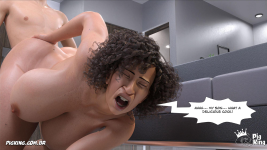
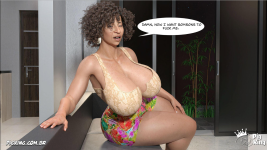
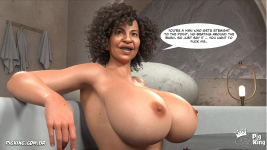
1.png 2.png 3.png 4.png 5.png
 
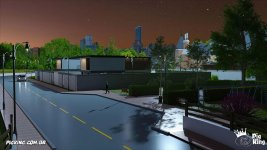
I didn't like the lighting, so I talked to Teddy, and we're going to change it in the next episode.
Try This:

To achieve night lighting in Daz Studio (using the Iray engine) that keeps characters clear, sharp, and well-visible while still unmistakably conveying a nighttime atmosphere, the secret lies in using Cinematic Color and Directional Contrast.

If you only use a dim blue light, the scene ends up dark and blurry. If you use a strong white light, it looks like broad daylight. The solution is balancing a cool fill light (night) with a warm or neutral key light for highlight.

Step-by-Step Configuration in Daz Studio (Iray)

  1. Ambient Light / Night Sky (Fill Light)

    Tool: Use a Night HDRI in the Environment Map or a Sun-Sky set to nighttime.

    Configuration: Set the dominant color of this environment to a Cool Blue / Cyan (Color temperature around 7000K to 9000K or pick a bluish hue from the color palette).

    Intensity: Low to medium. Its sole purpose is keeping shadows from turning pitch black while giving the background a subtle moonlight tone.
  2. Main Character Light (Key Light)

    Tool: Add a Spotlight or Distant Light pointed directly at the characters' faces/bodies.

    Color Configuration: Use Pure White or a very soft Yellow/Orange (Temperature around 4500K to 5500K).

    The Trick: The human mind reads the scene as "night" due to the bluish background and cool shadows. A white or warm key light hitting the skin keeps characters fully sharp and prominent without making it look like sunlight.
  3. Night Rim Light / Kicker — The Secret to Sharpness

    Tool: Position a powerful Spotlight behind or to the side of the characters, aimed at their back/hair.

    Color Configuration: Vivid Blue / Deep Cobalt Blue.

    Effect: Creates a blue edge highlight along shoulders, hair, and silhouettes. This rim light outlines character bodies against the dark background, ensuring perfect readability even in a nighttime setting.
  4. Practical Scene Lights (Warm Focal Points)

    If the scene takes place in a bedroom or on a street, add visible light sources in the scene (a nightstand lamp, a smartphone screen, a streetlight).

    Set these lights to warm Orange or Yellow tones. The contrast between the cool night background and the warm lamp light immediately signals an indoor/nighttime environment to the reader.
Camera and Tone Mapping Settings (Iray)

To prevent the image from becoming too dark or overexposed in Daz Studio, adjust the Render Settings -> Tone Mapping tab:

Film Speed (ISO): Keep it between 100 and 200 to avoid noise (excessive denoising).

Shutter Speed: Adjust this to control overall scene brightness without tweaking individual light intensities.

White Balance: If the scene appears overly blue, adjust the White Balance closer to 6500K to balance skin tones.

Lighting Setup Summary

LightType / PositionColorFunction
AmbientHDRI / Sun-Sky (Background)Cool Blue / CyanEstablishes the night mood and brightens shadows.
KeySpotlight (Front/45°)Neutral or Soft Warm WhiteKeeps skin bright, visible, and sharp.
RimSpotlight (Behind)Intense Deep BlueSeparates the character from the dark background.
Practical (Optional)Lamps / Screens in sceneWarm Orange / YellowCreates optimal color contrast (Orange & Teal).
 

Similar threads

  • Character Tags Character Tags big-ass milf
  • Sexual/Kinks Tags Sexual/Kinks Tags incest
Replies
12
Views
17K
2 3 4
Replies
75
Views
78K
2
Replies
37
Views
44K
Replies
6
Views
32K
Back
Top Bottom